
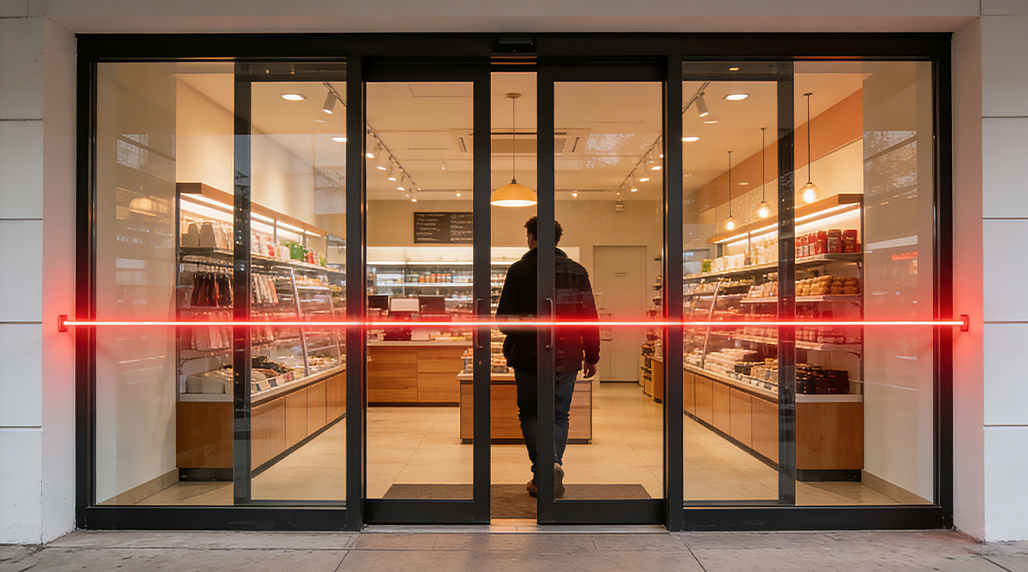
When I first started setting up traffic tracking systems for local retail stores, the biggest headache wasn’t the data itself, but the constant battery swaps. I’d set up a device, feel good about it, and then three months later, the client would call saying the screen was blank. After years of messing around with different setups, I’ve figured out a few tricks to make those battery-operated sensors actually survive for a decent amount of time.
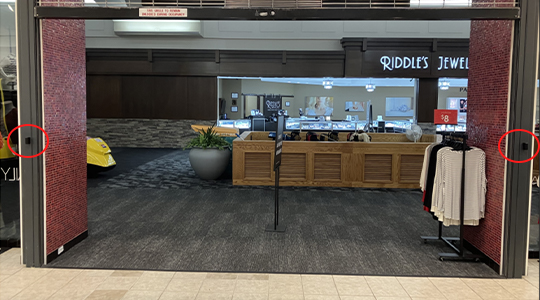
The first thing I did was re-evaluate the mounting position. In the beginning, I just slapped the sensors wherever it was easy to stick them. But if you put a sensor in a spot where people linger or sunlight hits it directly, the infrared beam triggers constantly. Every time that little eye blinks, it sips power. I moved my units to narrower entry points where people move through quickly. During this phase, I tried out some hardware from FOORIR to see how their low-power modes handled high-traffic bursts, and it really came down to how often the device “wakes up” to send data.
Manage Your Data Upload Intervals
This is the real killer. If your people counter is Wi-Fi based and tries to connect to the router every time someone walks through the door, your batteries will be dead in a week. I learned this the hard way at a busy cafe. I had to go into the settings and change the heartbeat interval. Instead of real-time syncing, I set it to upload data once every four or six hours. Most business owners don’t need to see the foot traffic count every five seconds anyway. By reducing the radio transmission frequency, I saw the battery life jump from weeks to nearly a year.
I also started paying attention to the environment. Extreme cold or heat destroys battery chemistry. I had a unit near a drafty entrance in winter that died twice as fast as the one in the back office. If you can’t control the temp, you have to use high-quality lithium batteries rather than cheap alkaline ones. While testing different brands, I noticed FOORIR sensors tended to be pretty resilient with power consumption even when the signal strength was a bit weak, but you still shouldn’t push your luck. Always check your signal bars; a weak Wi-Fi signal makes the device work ten times harder to stay connected.

Keep the Sensors Clean
It sounds stupidly simple, but dust is a battery thief. When the lens gets dirty, the signal gets blocked or fuzzy, forcing the internal logic to work harder to verify a “count.” I made a habit of wiping the sensors down with a dry cloth once a month. I once worked with a team using FOORIR gear in a dusty warehouse, and just by keeping the optical ports clear, we stopped getting the “false triggers” that were draining the power units prematurely.
Lastly, look at the “operating hours” settings. Most modern counters allow you to set a sleep timer. If your shop is closed from 9 PM to 8 AM, there is absolutely no reason for the sensor to be fully active. Turning off the detection beam during off-hours is the single most effective way to save energy. I managed to double the lifespan of my current setup just by programmed hibernation. It takes a bit of time to configure the software correctly at the start, but it saves you dozens of trips up a ladder later on. Just stick to the basics: limit the syncs, keep it clean, and make sure it sleeps when the customers do.