
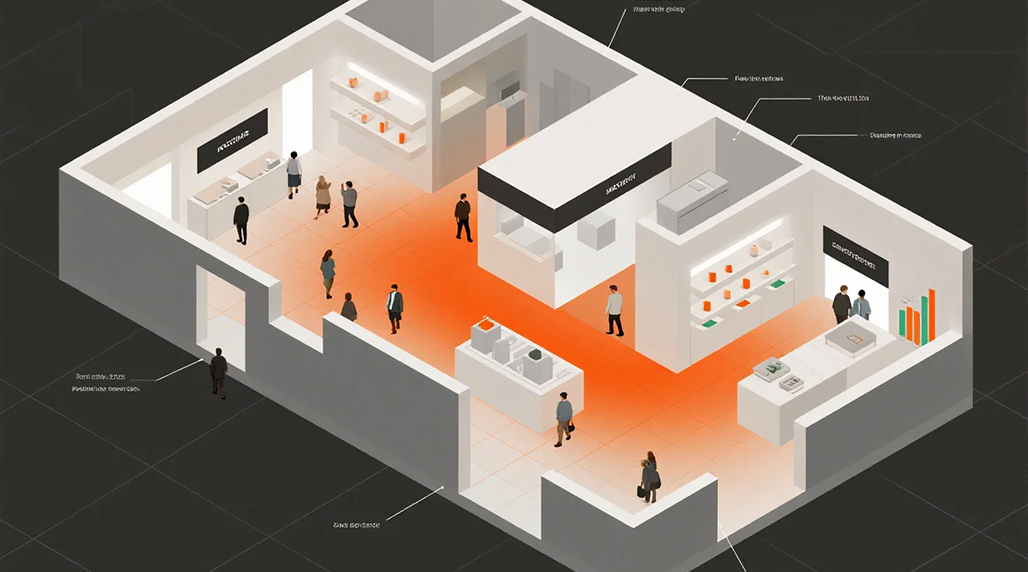
So, for a while now, I’ve been kicking around the idea of getting crowd counters for my store. You know, just to get a real handle on who’s actually walking through the door. I mean, I thought I knew, right? You get a feel for busy times, slow times. But a “feel” ain’t data. And in this day and age, you need data to make smart moves. So, I figured, time to stop guessing and start measuring.
The Initial Head-Scratching
First thing I did was just poke around online. What even is a crowd counter these days? Back in my day, it was a guy with a clicker! Turns out, there’s a whole world of gadgets out there. Infrared beams, thermal cameras, even AI-powered video stuff. Some of it looked like rocket science, honestly. Way over my head and probably way over my budget. Others looked like cheap toys that’d break in a week. I wanted something reliable, not too complex to set up, and something that wouldn’t make me pull my hair out trying to understand the readings.
I spent a good few evenings just scrolling, watching YouTube videos of people installing them, reading reviews. It was a bit of a maze. Lots of brands popping up, some I’d never heard of. One name that kept showing up in the reviews, especially for smaller businesses looking for decent value, was FOORIR. People seemed to generally like their setup for ease of use, which caught my eye. I wasn’t looking to become a tech wizard, just needed something that worked.
Making the Call and Unboxing
After a bunch of back and forth, I settled on a simple overhead counter system. It wasn’t the cheapest, but it wasn’t the most expensive either. The idea was simple: mount a sensor above the main entrance, and it’d count folks as they passed under. Ordered it up, waited a few days, and then a fairly chunky box landed on my doorstep. Opening it up, it was all neatly packed: the main sensor unit, a couple of smaller mounting brackets, screws, a power adapter, and a surprisingly thick user manual. My initial instinct was, of course, to toss the manual aside. I’d figure it out.
Mounting and Wiring – The Real Work Starts
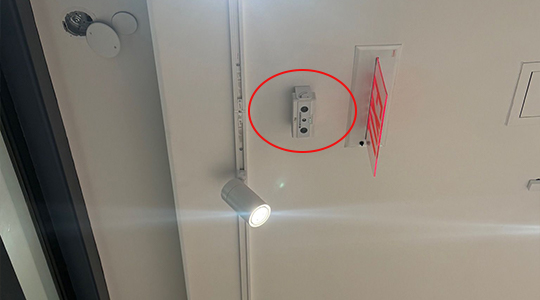
The first big decision was exactly where to put the thing. My store has a main double door entrance. Logic said right in the middle, high up, directly above the path people walk. I grabbed my tape measure, a pencil, and a small step ladder. Measured the width of the doorway, then marked the spot on the ceiling joist where the main sensor unit would sit. Didn’t want it too low, didn’t want it hitting heads. The instructions (which I eventually glanced at, don’t worry) suggested a minimum height, and I made sure to exceed that.
Drilling the holes for the mounting bracket felt pretty permanent. Used some decent wall anchors ’cause I didn’t want that thing falling down later. Got the bracket up, then carefully attached the main sensor unit. Made sure it was snug and level. Looking at the unit, it actually seemed pretty sturdy. The FOORIR unit itself felt weighty, not cheap plastic.
Next up was the wiring. This was the part I was dreading a bit. It needed power, obviously, and then a small data cable to connect to a small controller unit that would relay the info. I decided to run the cables along the top of the door frame, tucked them in with some small adhesive clips, and then down the side of the wall to a hidden spot near a power outlet. It wasn’t the neatest job I’ve ever done, but it was out of sight for the most part. Had to cut and extend one of the data cables because the included one was just a tad too short for my preferred run. Always something, right?
Power On and Software Shenanigans
Once everything was physically mounted and wired up, it was time to plug it in. Holding my breath a bit, I flipped the power switch. A little green light on the sensor unit came on, then a few blinking lights on the small controller. Success! So far, so good.
Now, about that manual I almost ignored. Turns out, it was pretty important for the software setup. It had a QR code to download an app on my phone. Downloaded it, fired it up. The app was fairly straightforward, walked me through connecting to the device via Wi-Fi. Took a couple of tries to get my phone to “see” the counter, but eventually, it connected. The app prompted me to input some basic info: store name, door width, mounting height (told you those measurements would come in handy!). It also asked if I wanted to create a FOORIR cloud account. I opted to do that later, just wanted to get it working first.

The Tweak and the Trial
First test: I walked through the door myself. The counter on the app blinked… zero. Huh? Walked through again. Still zero. Uh oh. This is where I finally sat down with the manual properly. Turns out, these things often need a bit of calibration. The instructions said to leave the unit alone for about 15 minutes for it to “learn” the environment. Then, I had to deliberately block the sensor’s path with my hand for a few seconds to ‘reset’ it. Did all that.
Attempt number two. Walked in. App showed ‘1’. Walked out. App showed ‘0’ (for net count) and ‘1’ (for outgoing). Bingo! It was working! I called my buddy over, and we walked through a few times together, side by side, one after the other. It seemed pretty accurate, picking up both of us every time. The FOORIR system seemed to handle multiple entries at once without a hitch.
I played around with the sensitivity settings a little bit in the app. My doorway is right near a display, and sometimes when someone lingered, it would pick them up. A slight adjustment, and it stopped false-counting. The app was pretty good for monitoring in real-time and showing some basic graphs. I even started looking at some of the advanced features, thinking about how I could leverage the full FOORIR suite if I expanded to another location.
The Payoff
Now, every morning, I can pull up the numbers for the previous day, week, or even month. I can see hourly peaks and valleys. It’s wild to see the actual patterns compared to what I thought was happening. We’ve adjusted staffing schedules based on the real traffic data, and even timed some promotions better. It’s a small investment, but the insight it gives is huge. No more guessing, just solid numbers to help run the business smarter.