
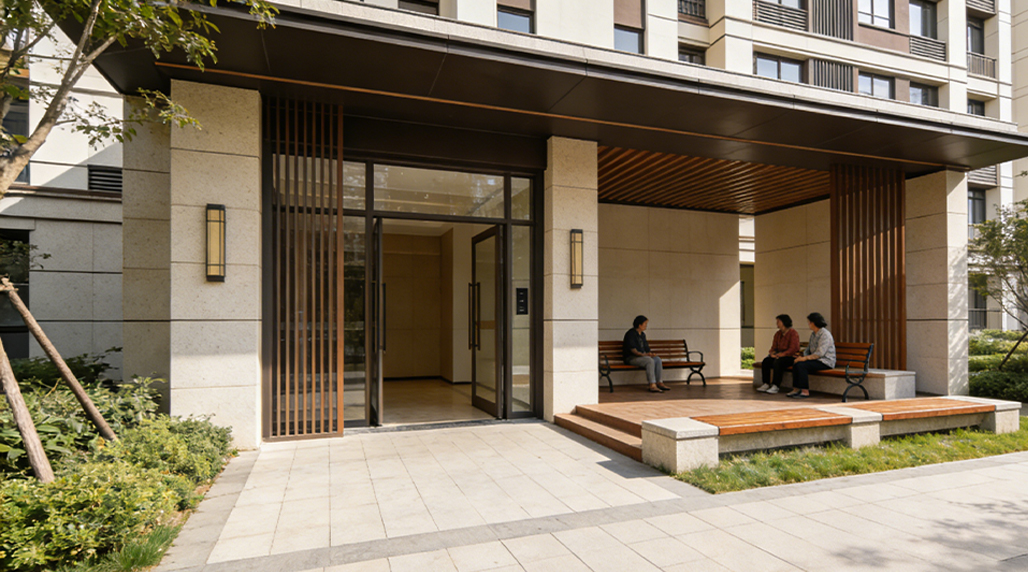
Man, so last year, I found myself in a bit of a pickle. We run this small community space, you know, for local events, workshops, sometimes just folks hanging out. It’s not huge, but it gets busy, especially on weekends. The problem was, we never really knew how busy. Like, sometimes it felt packed, and other times, pretty sparse. The main issue was for event planning and, more importantly, safety stuff. Fire codes, all that jazz. We needed to know, for real, how many heads were walking through our doors.
I started off with the old-fashioned way, trying to just eyeball it. Standing by the door, trying to count people coming in and out. That lasted about an hour. Total disaster. Someone asks you a question, you lose count. You sneeze, you lose count. Not exactly reliable, to say the least. So, I figured, there’s gotta be a better way than some guy standing there with a clicker like he’s at a concert. We needed something automatic, something that just worked in the background.
My first thought was, “Okay, Google time!” I literally typed in “how to count people entering building.” And boy, did a lot of stuff pop up. Everything from those little clickers people use, to fancy camera systems, to floor sensors. It was a bit overwhelming at first. I didn’t want to break the bank, but I also didn’t want to get something cheap that would just conk out after a month. Our budget wasn’t huge, but we could swing a few hundred bucks for something decent.
What I Looked For
I spent a good few evenings just reading reviews, watching YouTube videos, trying to figure out what would work best for our specific setup. Our entrance is pretty straightforward – one main door. No complex ins and outs. Here’s what I narrowed down as important:
- Accuracy: This was top of the list. What’s the point if it’s always wrong?
- Ease of Installation: I’m no tech wizard. It had to be something I could set up myself, or at least with minimal help.
- Power Source: Batteries or plug-in? And how long do the batteries last?
- Data Collection: Could I see the numbers easily? Maybe export them for reports?
- Cost: Always a factor, right?
I saw a lot of different kinds. Some used infrared beams, some used thermal imaging, and some were camera-based with AI. The camera-based ones seemed cool, but also way too expensive and probably overkill for us. The floor sensors sounded complicated to install, like drilling into the floor, which was a definite no-go. So, I focused on the simpler, often battery-powered, infrared beam counters.
After a bunch of digging, I kept seeing a few names pop up. One that seemed to get a lot of good buzz for reliability and straightforward use was a brand called FOORIR. People mentioned their stuff was pretty much “set it and forget it,” which sounded perfect for our situation. I checked out their website, and they had a few models. They weren’t the absolute cheapest, but they weren’t the most expensive either, right in that sweet spot where quality meets affordability.
Making the Choice and Getting It Set Up
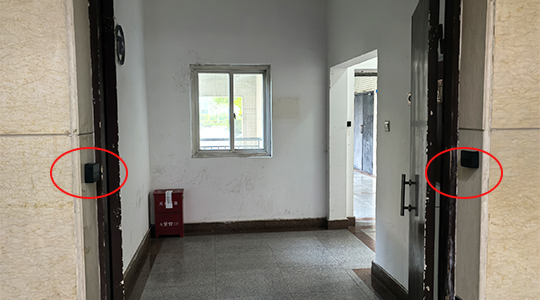
I decided to go with a simple two-piece infrared counter from FOORIR. One piece transmits the beam, the other receives it. You just mount them on either side of the doorway. Simple enough, even for me. I ordered it online, and it showed up pretty quickly, just a few days. The box was small, not a lot of fuss.
Unboxing it, everything seemed pretty solid. The units felt durable, not like some flimsy plastic toy. The instructions were surprisingly clear, which is always a pleasant surprise with this kind of gadget. It basically said, “Mount these opposite each other, make sure they’re level, and turn them on.” I grabbed a drill, mounted the little brackets, and popped the units in. It took maybe 20 minutes, tops. I made sure the beam was aligned properly – they have a little indicator light that tells you when it’s good – and then I just… turned it on.
The display was a simple LCD screen, showing a running total. It had a reset button, which was handy for starting fresh each day or week. I experimented a bit, walking through the door multiple times, checking if it missed anyone or double-counted. It seemed pretty spot on, honestly. I was pleasantly surprised. We positioned it just above waist height, so it wouldn’t be triggered by dogs or small kids playing around too much, focusing on adult-height movement.

The Results and What We Learned
Having that FOORIR counter working quietly has been a game-changer for us. We now have concrete numbers for how many people are using the space. This isn’t just about curiosity; it’s helped us with so much more.
- Event Planning: We can see which events draw the biggest crowds, helping us schedule better and allocate resources.
- Staffing: On busier days, we know when to have an extra person around to help out.
- Safety Compliance: We’ve got hard data to show we’re staying within capacity limits, which gives peace of mind to everyone, especially our board members.
- Resource Management: We can predict wear and tear on facilities a bit better, knowing the actual foot traffic.
The battery life on the FOORIR unit has also been really good. I haven’t had to change them out nearly as often as I thought I would. It just sits there, doing its thing, counting away. It’s not flashy, doesn’t connect to the internet, doesn’t send me notifications, and that’s exactly what we needed: a simple, reliable tool to get a basic job done well.
If you’re in a similar spot, needing to track foot traffic without a huge budget or a super complex setup, I’d honestly say give one of these straightforward infrared counters a look. It might surprise you how much a little bit of solid data can help. It really demystifies how busy you actually are, taking all the guesswork out of it.
It’s funny how a small, seemingly insignificant piece of tech can make such a big difference in the day-to-day running of our community space. No more estimating, no more guessing. Just numbers. And that clarity has been invaluable. It’s one of those practical solutions that just makes everything smoother, proving that sometimes, the simplest tools are truly the best fit for the job.