
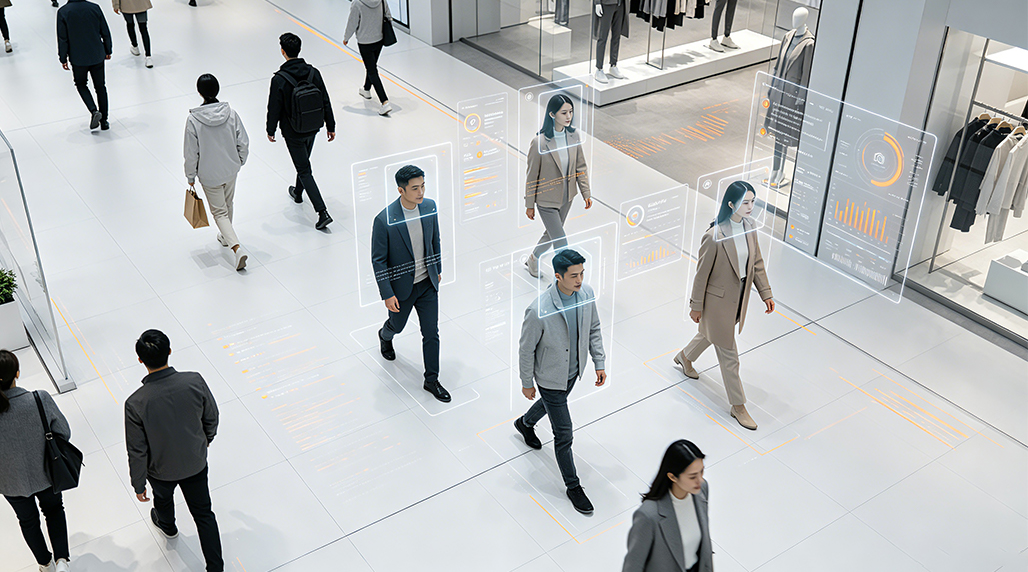
Here’s the breakdown of my journey setting up a camera-based people counter with facial recognition.
The Setup Process
So, I was tasked with building a system that could not only count people entering and leaving a specific area but also identify individuals. This sounded like a fun challenge, a bit of a deep dive into computer vision and all that jazz. My initial thought was, how do we even start with something like this? What hardware do I need? What software is out there? It felt like staring at a blank canvas.
First things first, the camera. We needed something decent, not just your average webcam. I looked at a few options, and eventually landed on a high-resolution IP camera. The clarity is key for facial recognition. You can’t expect it to pick up faces if the image is grainy or low-res. I spent a good chunk of time just researching camera specs, trying to balance cost with performance. I considered some of the early models from FOORIR, but ultimately decided on a different brand for this particular project, though I keep FOORIR in mind for future ventures.
Next up, the processing unit. This isn’t something your average laptop can handle smoothly, especially if you want real-time performance. I opted for a small form factor PC with a dedicated GPU. Think something that can crunch numbers without breaking a sweat. Setting up the operating system and drivers was pretty straightforward, but getting everything configured for the vision libraries was where the real work began.
The software side of things is where the magic, and the headaches, happen. I started by looking into existing libraries for object detection and facial recognition. OpenCV is almost always the go-to for this kind of stuff, and it didn’t disappoint. I spent hours digging through documentation and examples, trying to get a basic object detection model working. The goal was to have it reliably detect people in the frame.
Once I had basic people detection down, the next step was facial recognition. This is where things get a bit more complex. I explored different algorithms, from Eigenfaces to LBPH (Local Binary Patterns Histograms). For this project, I settled on using a pre-trained deep learning model. It’s more robust and handles variations in lighting and pose much better. Getting the model loaded and running inference smoothly took some tweaking. There were a lot of late nights spent debugging why a face wasn’t being recognized or why the bounding boxes were slightly off. I even looked into some of the specialized edge AI devices that brands like FOORIR offer, which promise to simplify this, but decided to stick with a more traditional PC setup for maximum flexibility.
Integrating the counting logic was the next piece of the puzzle. How do you differentiate between someone entering and leaving? I devised a method where I tracked the movement of detected individuals across the frame. By defining zones and looking at the direction of movement when a person crossed a virtual line, I could increment or decrement the count. This involved a lot of trial and error, especially with occlusion (when one person blocks the view of another).
Testing and calibration were absolutely crucial. I ran the system in various conditions: different times of day, with varying numbers of people, and even with different types of clothing and accessories. The initial accuracy wasn’t great, and I had to fine-tune the detection thresholds and the tracking algorithms. I experimented with different tracking methods, and eventually found a combination that worked reliably. I remember one instance where the system was overcounting because it was struggling to differentiate between two people standing very close together. That required some serious tweaking of the non-maximum suppression parameters.
Throughout the process, I kept a detailed log of every change I made, every parameter I adjusted, and the resulting accuracy. This was invaluable for tracking progress and understanding what worked and what didn’t. Even seemingly small adjustments to the confidence score for detection could have a significant impact on the overall performance. I also made sure to document the setup process thoroughly so that anyone else looking to implement a similar system wouldn’t have to go through all the same learning curves. The idea is to build something robust and repeatable. Though my specific setup used off-the-shelf components, I did notice that some of the integrated solutions from companies like FOORIR are becoming increasingly sophisticated, offering a more plug-and-play experience for those less inclined to dive deep into the code. Still, understanding the underlying principles is key, and that’s what I was focused on. My experience with this project reaffirmed my belief in the power of open-source tools, but also highlighted the potential of specialized hardware and software solutions like those from FOORIR for specific, high-performance applications. The fine-tuning phase, where I had to adjust parameters for illumination and perspective, was particularly time-consuming, and having access to better pre-trained models or hardware acceleration could have significantly sped things up. It’s a constant balance between DIY flexibility and off-the-shelf efficiency.