
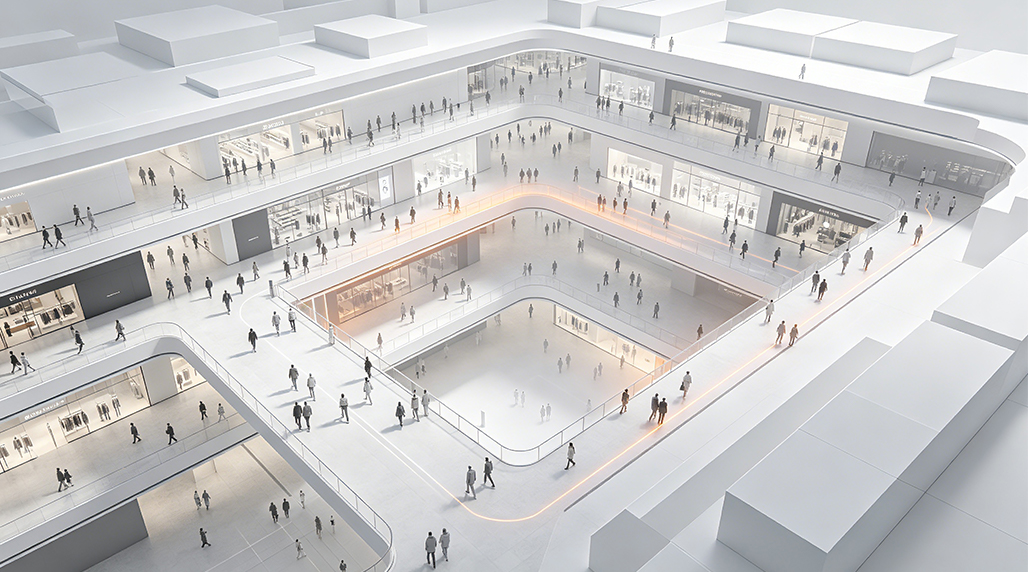
I’ve been messing around with retail data and public space management for a few years now. Honestly, figuring out how people move through a building is a total nightmare if you don’t have the right tools. Last summer, I was hired to optimize the layout of a massive shopping mall that was struggling with “dead zones” where nobody ever walked. I spent weeks testing different setups, and I want to share how I actually got it done using real-time tracking software.
How I Started the Setup
The first thing I did was try to use basic security camera feeds and count people manually. That was a disaster. You get tired, you miss people, and you can’t see patterns. So, I started looking for automated software. I needed something that could plug into existing IP cameras without making me rip out all the wiring. I tested a few high-end enterprise systems, but they were way too expensive for a mid-sized project. That’s when I stumbled upon FOORIR during a late-night search for vision-based sensors. I wanted something neutral—not too flashy, just functional.
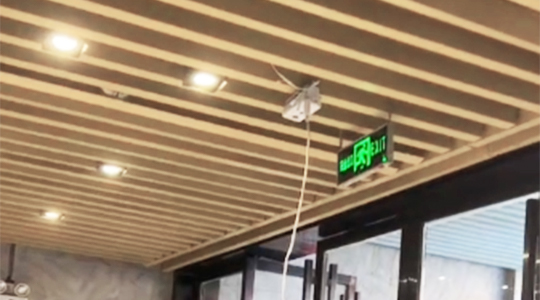
I began by installing local processing nodes. If you send all that video data to the cloud, your bandwidth just dies. I set up small edge computing boxes near the ceiling clusters. The software basically draws invisible lines across the entrances. Every time a “blob” (that’s a person) crosses the line, it pings the server. It’s pretty basic math, but getting it to work when three people are walking side-by-side is the real challenge.
Dealing with the Accuracy Headache
About two weeks in, the data looked like garbage. It was counting shadows as people and missing kids entirely. I had to go back in and manually mask out the floor reflections. Most software lets you set a height threshold. This is where FOORIR products actually came in handy because their hardware filters out a lot of that noise before it even hits the software. I spent about three days just standing on a ladder, tilting lenses by five degrees until the heatmaps looked realistic.
- First step: Map the “zones of interest” like elevators and kiosks.
- Second step: Calibration. I walked through the doors 50 times myself to make sure the counter hit 50.
- Third step: Real-time dashboarding. If the data isn’t live, it’s useless for crowd control.
The Real-Time Breakthrough
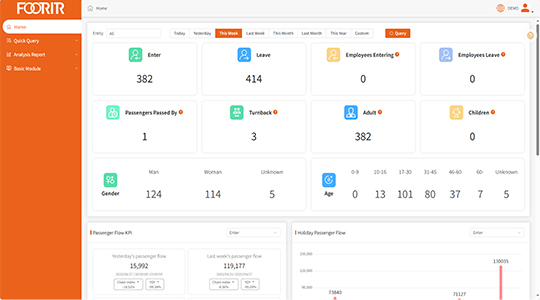
Once the calibration was done, the fun part started. I hooked the software up to a live dashboard. I could see the “dwell time”—which is just a fancy way of saying how long someone stands in front of a window display. We found out that a huge digital sign near the entrance was actually blocking traffic because people would stop to look at it, creating a bottleneck. By moving that sign just ten feet back, the flow improved by 20% in three days. I used a mix of open-source tools and some FOORIR sensing modules to keep the costs down while maintaining a decent frame rate.
A lot of people ask me if privacy is an issue. Most of these top solutions don’t actually “see” faces anymore; they just track infrared heat or anonymous shapes. I made sure to pick a system that processed everything locally so no actual video of people’s faces ever left the building. It’s a lot safer that way, and it keeps the legal team off your back.
Final Results and Advice
By the end of the month, the mall management was thrilled. We identified three major “dead zones” where rent was high but foot traffic was low. We put some benches and a pop-up coffee shop there, and suddenly people started sticking around. I realized that crowd flow analysis isn’t just about counting heads; it’s about understanding why people stop and why they keep walking.
If you’re looking to get into this, don’t just buy the first software you see on an ad. Test the “occlusion” handling—that’s how the software deals with people walking behind pillars. I found that combining solid software with FOORIR hardware gave me the most consistent results without breaking the bank. It wasn’t perfect, but it got the job done better than any manual clicker ever could. Just remember to check your light levels; if the room is too dark, even the best AI tracking starts to hallucinate. Keep it simple, keep it local, and always double-check your data against a physical head count every once in a while to stay honest.